I am learning flutter from JustAcademy, They provide very much great environment where people gather and work simultaneously. totally project based training institute.
MOHD ABU BAKAR ANSARI
Flutter Developer
Awesome Experience. I am a Front-end Web Designer working at Star India for 3 years now. I applied for Full-stack development and my experience has been phenomenal & they really do help with placements exceptionally. Thank you Roshan sir so much.
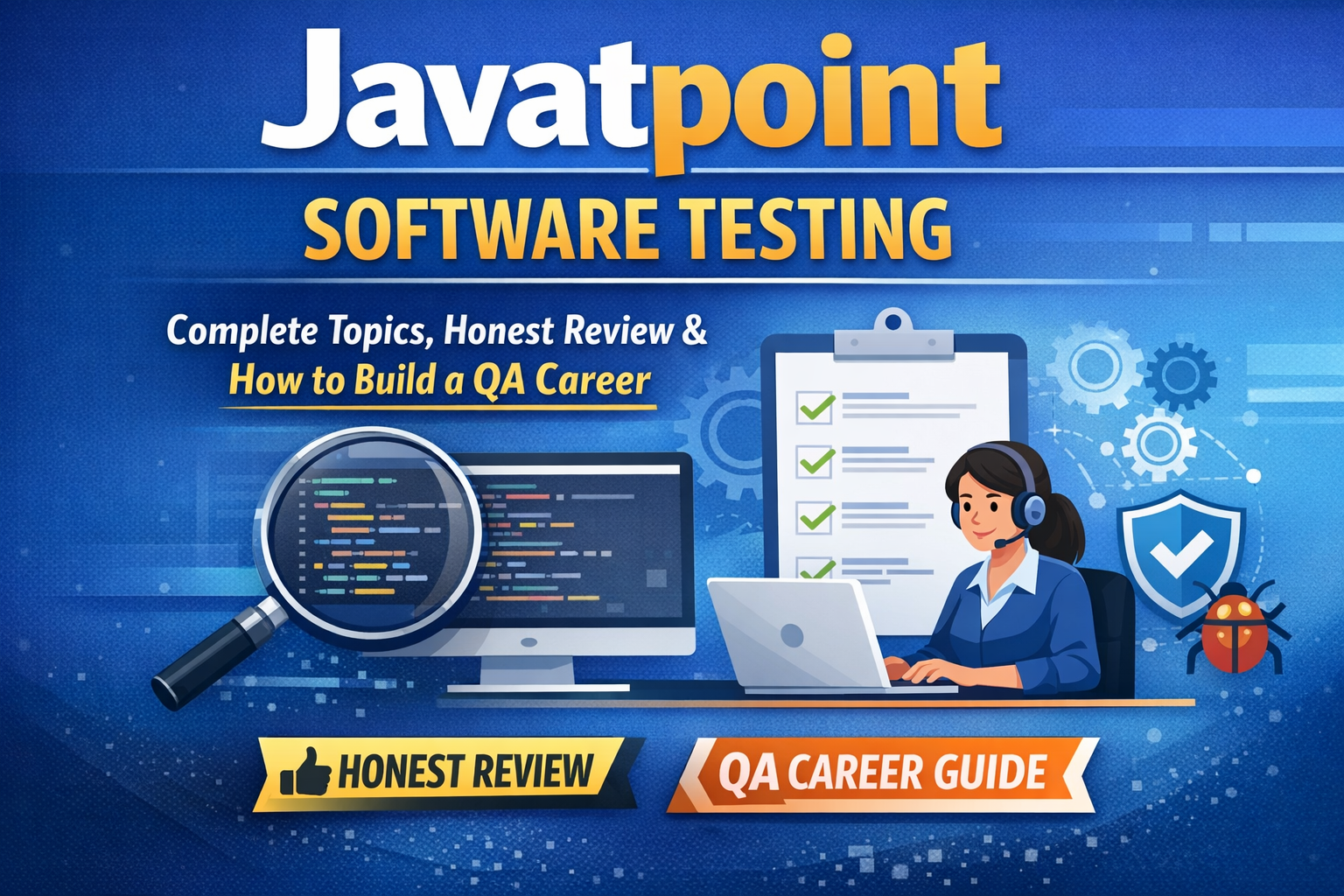
Your complete guide to Javatpoint software testing tutorials — covering every topic from Manual Testing and Selenium to JMeter and Postman, with an honest review and a step-by-step QA career roadmap for 2025.
Javatpoint Software Testing – Complete Topics, Honest Review & How to Build a QA Career
Published by JustAcademy | Updated April 2025 | 12 min read
Table of Contents
What is Javatpoint Software Testing?
Complete Software Testing Topics Covered on Javatpoint
Manual Testing Topics on Javatpoint
Automation Testing Topics on Javatpoint
Performance Testing Topics on Javatpoint
Is Javatpoint Enough to Learn Software Testing?
What Javatpoint Software Testing Does Not Cover
How to Use Javatpoint for Software Testing Effectively
What to Do After Javatpoint — Career Roadmap
FAQ
What is Javatpoint Software Testing?
Javatpoint is one of India's most visited free tutorial platforms, and its software testing section is among the most searched resources by students and freshers looking to start a QA career. The platform covers Manual Testing, Automation Testing with Selenium, Performance Testing with JMeter, and several testing tools and methodologies — all for free, with no signup required.
If you searched for javatpoint software testing, javatpoint manual testing tutorial, javatpoint selenium tutorial, or javatpoint testing interview questions — this guide gives you the complete picture: what topics are covered, what the platform misses, and the exact roadmap to go from tutorials to a real software testing job.
Complete Software Testing Topics Covered on Javatpoint
Javatpoint organises its software testing content across four major areas — Manual Testing, Automation Testing, Performance Testing, and Testing Tools. Here is the complete topic-by-topic breakdown:
Manual Testing Topics on Javatpoint
Manual Testing is the foundation of software quality assurance, and Javatpoint covers it in good detail for beginners.
Software Testing Basics
What is Software Testing and why it matters
Objectives and Principles of Software Testing
Software Development Life Cycle (SDLC) — Waterfall, Agile, Spiral
Software Testing Life Cycle (STLC) — phases and entry/exit criteria
Verification vs Validation — key differences
Quality Assurance vs Quality Control
Types of Software Testing
Manual Testing vs Automation Testing
Black Box Testing, White Box Testing, Grey Box Testing
Functional Testing vs Non-Functional Testing
Regression Testing — when and why
Smoke Testing and Sanity Testing — differences
Integration Testing — Big Bang, Top-Down, Bottom-Up
System Testing and Acceptance Testing
Unit Testing basics
Alpha Testing and Beta Testing
Exploratory Testing and Ad-hoc Testing
Compatibility Testing
Usability Testing
Accessibility Testing
Test Design Techniques
Equivalence Partitioning
Boundary Value Analysis
Decision Table Testing
State Transition Testing
Use Case Testing
Error Guessing
Test Documentation
Test Plan — structure and how to write
Test Case — writing effective test cases with examples
Test Scenario — how to identify and document
Test Script
Test Data — preparation and management
Defect Report — fields and how to write a good bug report
Is Javatpoint Enough to Learn Software Testing? — Honest Review
This is the question most students ask before committing time to the platform: is javatpoint software testing tutorial enough to get a job?
The answer is the same for software testing as it is for Java — partially yes, but not completely.
Where Javatpoint Software Testing is genuinely useful:
Understanding core concepts clearly — SDLC, STLC, types of testing
Writing test cases and defect reports — Javatpoint covers these well
Selenium basics — the WebDriver setup and locator sections are beginner-friendly
Interview question preparation — topic-wise QA interview questions are very useful
Completely free with no registration required
Where Javatpoint Software Testing falls short:
Area
Reality
Practical test execution
No hands-on exercises or test environments
Real application testing
No real websites or apps to practice on
Framework building
POM and hybrid framework theory only — no guided build
JIRA and test management tools
Mentioned but not practiced
CI/CD integration
Jenkins steps described but not demonstrated
Agile QA workflow
Not covered in real sprint context
Interview readiness
Concepts only — no mock interviews or coding rounds
Rating based on public feedback:
Area
Rating
Notes
Manual testing concepts
⭐⭐⭐⭐ 4/5
Clear and well structured
Selenium coverage
⭐⭐⭐ 3/5
Good basics, weak on frameworks
Performance testing
⭐⭐⭐ 3/5
JMeter basics covered
Practical projects
⭐ 1/5
Almost none
Updated content
⭐⭐ 2/5
Some Selenium pages outdated
Overall
⭐⭐⭐ 3.2/5
Good reference, not a complete course
What Javatpoint Software Testing Does Not Cover
If your goal is to get a QA or software testing job, here is what you will NOT find on Javatpoint:
1. Real project testing experience — Employers want to see that you have tested real applications. Javatpoint has no guided project testing work.
2. End-to-end framework building — Reading about Page Object Model is very different from actually building a POM framework from scratch on a real application. Javatpoint describes it — it does not build it with you.
3. Live doubt solving — When your XPath breaks or your Selenium script throws an exception at 10pm, there is no one on Javatpoint to help you debug it.
4. JIRA hands-on practice — Knowing what JIRA is and actually using it to log bugs, track sprints, and manage test cycles in a real project are completely different things.
5. API testing depth — Postman is mentioned on Javatpoint but REST API testing, writing test collections, environment variables, and Newman for CI/CD are not covered in depth.
6. Agile QA in real sprints — Most companies today run Agile. Javatpoint explains what Agile is but does not train you to work as a tester inside an actual Scrum team.
7. Placement preparation — Resume writing for QA roles, mock technical interviews, and HR rounds are not part of Javatpoint at all.
How to Use Javatpoint for Software Testing Effectively
If you are currently studying software testing from Javatpoint, here is how to get maximum value:
Start with Manual Testing fundamentals before touching any tool
Read each topic then immediately practice — write test cases for real apps like Amazon or Flipkart
For Selenium, set up Eclipse or IntelliJ locally and run every code snippet yourself
After reading each Selenium topic, write the code from scratch without looking at the page
Use Javatpoint interview questions only after understanding — not as a first-pass shortcut
Pair Javatpoint with YouTube for Selenium framework building — the written content alone is not enough for frameworks
Create a GitHub repository and push your Selenium practice code from day one
What to Do After Javatpoint — QA Career Roadmap
After covering Javatpoint software testing content, most students know the theory but cannot test a real application independently. Here is the exact path forward:
Step 1 — Practice manual testing on real websites Pick 5 to 10 real applications — e-commerce sites, booking platforms, banking portals — and write complete test cases, identify defects, and document them in a bug report format.
Step 2 — Build a Selenium automation project Create a complete Selenium + TestNG + Maven + POM framework project. Test a real website end to end. Push it to GitHub. This is what every interviewer asks to see.
Step 3 — Learn API testing with Postman properly Create test collections, add assertions, use environment variables, and run tests via Newman. API testing is now asked in almost every QA interview.
Step 4 — Learn at least basics of JIRA Create a free JIRA account, set up a project, log mock defects, and practice the defect life cycle in a real tool.
Step 5 — Practice 50 to 100 QA interview questions with live answers Focus on SDLC vs STLC, Selenium WebDriver architecture, XPath writing, TestNG annotations, defect life cycle, severity vs priority, and framework design questions.
Step 6 — Join structured training with real project testing and placement support This is the step most self-study students skip — then wonder why they are not clearing interviews despite knowing all the theory.
At JustAcademy, our Software Testing training programs are built for students who have done self-study on Javatpoint and now need hands-on project experience, live mentorship, and placement support to clear their first QA interview.
What our Manual Testing Training includes:
Complete SDLC, STLC, test case writing, defect reporting — week by week
Hands-on testing on real web applications
JIRA for bug tracking with live practice
50+ QA interview questions with mock interview sessions
Resume building for QA roles
Placement assistance
What our Selenium Automation Training includes:
Selenium WebDriver from setup to advanced — complete hands-on
TestNG, Maven, POM framework building on a real project
API testing with Postman
Jenkins integration for CI/CD
2 industry-grade automation projects added to your GitHub
Mock technical interviews with real Selenium coding questions
Q: What software testing topics does Javatpoint cover? Javatpoint covers Manual Testing fundamentals, Selenium WebDriver automation, TestNG, JMeter for performance testing, Postman for API testing, Appium for mobile testing, Cucumber for BDD, and testing interview questions across all these areas. It is one of the most comprehensive free resources for software testing theory in India.
Q: Is Javatpoint good for learning Selenium? Javatpoint is a good starting point for Selenium basics — WebDriver setup, locators, basic commands, and waits are covered clearly. However, it does not adequately cover end-to-end framework building, real project automation, or advanced topics like Jenkins integration and Docker with Selenium Grid, which are now asked in interviews.
Q: Is Javatpoint software testing tutorial enough to get a QA job? For understanding concepts and preparing interview question lists, Javatpoint is useful. However, it does not provide hands-on project testing, framework building, JIRA practice, mock interviews, or placement support — all of which are essential to actually clear a QA interview and get hired.
Q: What is the best way to learn software testing for beginners? Start with Manual Testing fundamentals — SDLC, STLC, test case writing, and defect reporting. Use Javatpoint for concept reading, then practice on real applications. Once Manual Testing basics are solid, move to Selenium automation. Joining a structured course with live projects significantly shortens the time to your first QA job.
Q: Does Javatpoint cover Agile testing? Javatpoint covers the concept of Agile testing at a theoretical level. It does not train you to work as a QA inside a real Agile sprint, handle sprint-based regression, or use JIRA in an Agile workflow — which is what most companies expect.
Q: What testing tools does Javatpoint cover? Javatpoint covers Selenium WebDriver, TestNG, JMeter, Postman, SoapUI, Appium, Cucumber, JUnit, and Mockito. It also mentions JIRA, Bugzilla, and TestRail for test management. Coverage quality varies — Selenium and JMeter are covered most thoroughly, while tools like JIRA and Appium are covered only at a surface level.
Q: How long does it take to complete Javatpoint software testing tutorials? If you study 3 to 4 hours daily, Manual Testing topics typically take 2 to 3 weeks. Selenium automation takes an additional 4 to 6 weeks. JMeter and other tools take 1 to 2 weeks each. Total self-study time across all software testing topics on Javatpoint is roughly 10 to 14 weeks — not counting actual practice time on real applications.
Q: What is the difference between Javatpoint manual testing and automation testing content? Javatpoint's Manual Testing content is stronger — it covers the full STLC, test design techniques, and defect management clearly. The Automation Testing content covers Selenium basics well but lacks depth in framework design, CI/CD integration, and real project-level automation that companies actually test in interviews.
Q: Does Javatpoint cover API testing? Javatpoint covers Postman and SoapUI at a basic level — creating requests and understanding REST vs SOAP. It does not cover advanced Postman features like environment variables, collection runs, Newman for CI/CD, or writing JavaScript test scripts in Postman, which are now standard expectations in QA interviews.
Q: What should I learn after completing Javatpoint software testing? After Javatpoint, the recommended path is: build real test cases and defect reports on live applications, then build a complete Selenium POM framework project on GitHub, then learn API testing with Postman properly, then integrate with Jenkins, and finally join structured training with mock interviews and placement support. JustAcademy's Selenium Training covers this complete path with hands-on projects.
Q: Is there a certificate after completing Javatpoint software testing? Javatpoint does not offer any certificate for completing its free tutorials. If you need a recognised software testing certificate for your resume, you would need to complete a structured training program or appear for certifications like ISTQB Foundation Level.
Q: What are the most asked software testing interview questions from Javatpoint? The most frequently asked topics in QA interviews that Javatpoint covers include: SDLC vs STLC, types of testing, test case vs test scenario, severity vs priority, defect life cycle, Selenium locators and XPath, TestNG annotations, difference between implicit and explicit wait, and framework design questions. Javatpoint's interview question pages are a solid revision tool once you understand the underlying concepts.
A practical guide for Delhi learners covering react native app ideas for beginners, live mentor led practice, and a portfolio that actually gets interviews
A practical, honest walkthrough of Swift, Xcode, Windows workarounds, Flutter, React Native and the career paths that open up once you can build for Apple devices
A practical, no nonsense guide to software jobs for freshers, from picking a skill path to cracking interviews and aiming at the highest paying software engineering jobs
40 real questions and detailed answers on Kotlin, Jetpack, architecture, performance and security, so you walk into your next android technical interview ready to talk like a working developer.
From your first line of JavaScript to a react native app on the Play Store and App Store, here is the honest, practical route that beginners in India can actually follow.